September 14, 2026
The best-known resources such as a Techstars accelerator and cloud storage credits from Amazon Web Services earn a lot of their attention honestly: years of track record, real startups taken to real outcomes. Sometimes those are the resources to go for. But the biggest names are also some of the hardest to get into/trickiest to predict will be the right fit as your startup continues to evolve. A 12-week accelerator based in San Francisco, Toronto, or London can mean relocating founders, and sometimes company offices, for at least the duration of the program. Funding size, equity taken, and program length can also vary a lot between a flagship accelerator and a smaller one – and smaller doesn’t mean a worse deal. Most of this information doesn’t show up in a typical search.
The Baker Release is built around one idea: fit has more to it than fame. It’s a major milestone in OneValley’s journey to make it easier for startups to find right-fit resources.
Startup Opportunity Atlas
This AI-powered feature is available right on Passport’s homepage – no sign-up required.
How it works: a startup gives Atlas three things: its company URL (Atlas pulls context like location, founding year, and industry focus), its funding stage, and the type of opportunities it’s after. Atlas is especially good at surfacing hard-to-find opportunities such as industry- and regional-specific accelerators, incubators, competitions, events, and similar, and hands back a ranked list weighted toward smaller, more specific opportunities the startup might never have found on its own.
Why we built this: after working with dozens of ESOs and thousands of startups, one pattern kept showing up: the best-known programs get plenty of attention, while smaller, highly relevant ones go undiscovered simply because there’s no good way to search for them. Atlas is built to surface those matches automatically.
What’s next: Atlas currently works the same whether or not a startup is signed into Passport. The next step is integrating it with the rest of the platform so logged-in users can save matches, get notified of especially strong ones, and see recommendations improve with use. Atlas will keep expanding the range of opportunity types it covers over time.
Redesigned Perk Area
Finding the right perk used to mean scrolling through a long list. Not anymore.
We redesigned the perks area with a cleaner, more searchable layout. With 70+ perks such as cloud credits, software discounts, and more curated by OneValley, the refreshed design makes it easy to browse, filter, and find relevant ones.
Server-Side Rendering
What changed: Resources within Passport are now easier to find wherever startups are already looking – including AI assistants, which are quickly becoming another way startups are searching.
Why it matters: startups and resource providers can find each other faster. Resource listings, resource provider profiles, and startup profiles are now optimized for search – so a startup looking for a resource like an accelerator or perk, or a resource provider trying to reach startups – is more likely to find what they are looking for. For resource providers, it also means getting found without doing all the promotion themselves.
September 25th, 2025
A huge thank you to all of our customers for your candid feedback, OneValley’s engineering and product teams have been hard at work making the platform better for you. Here’s a quick look at the latest updates, improvements, and fixes—all designed to help you work smarter and customize more!
New Features
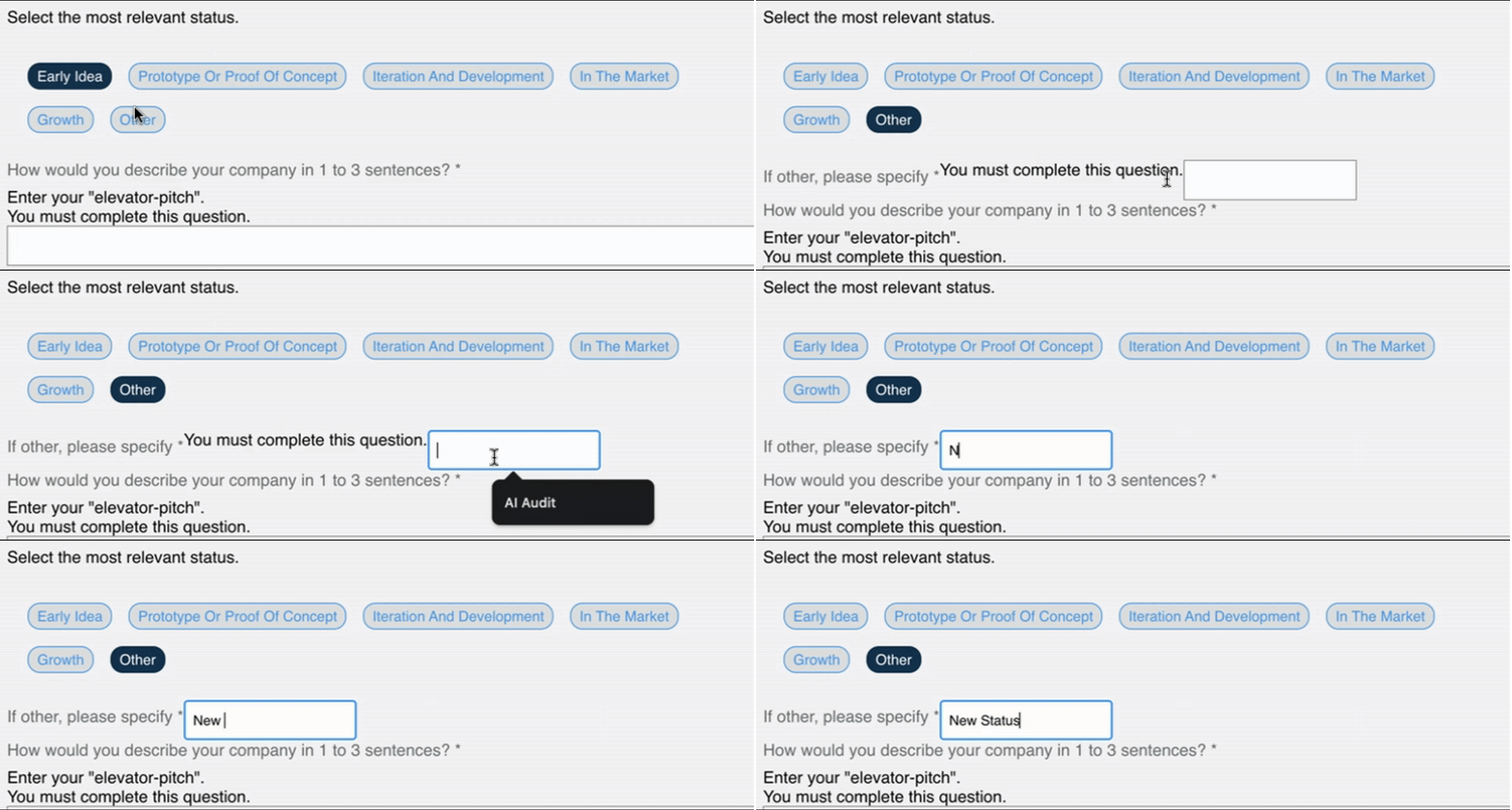
Conditional Questions Are Here
You can now set up forms so that certain questions only appear based on how someone answers earlier ones. Cleaner forms, better experience.
Rich Text in Announcements
Make your announcements stand out. You can now use bold, italics, bullet points, and more—right inside the announcement editor.

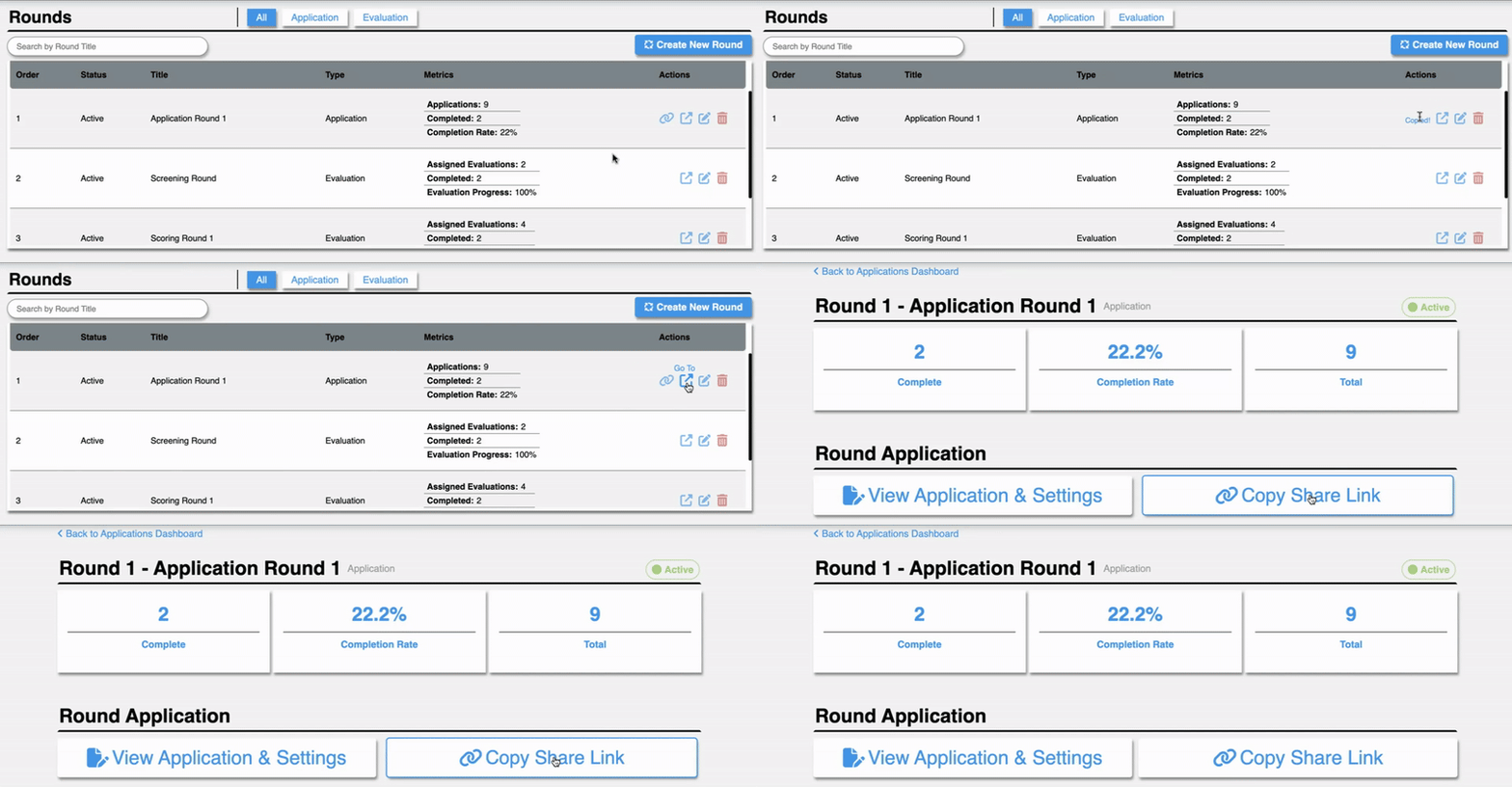
Easier to Share Applications
Need to send out a link to an application? Now you’ll find the share link right on the Application Round and Application Cycle dashboards—no more digging.
New Program Settings
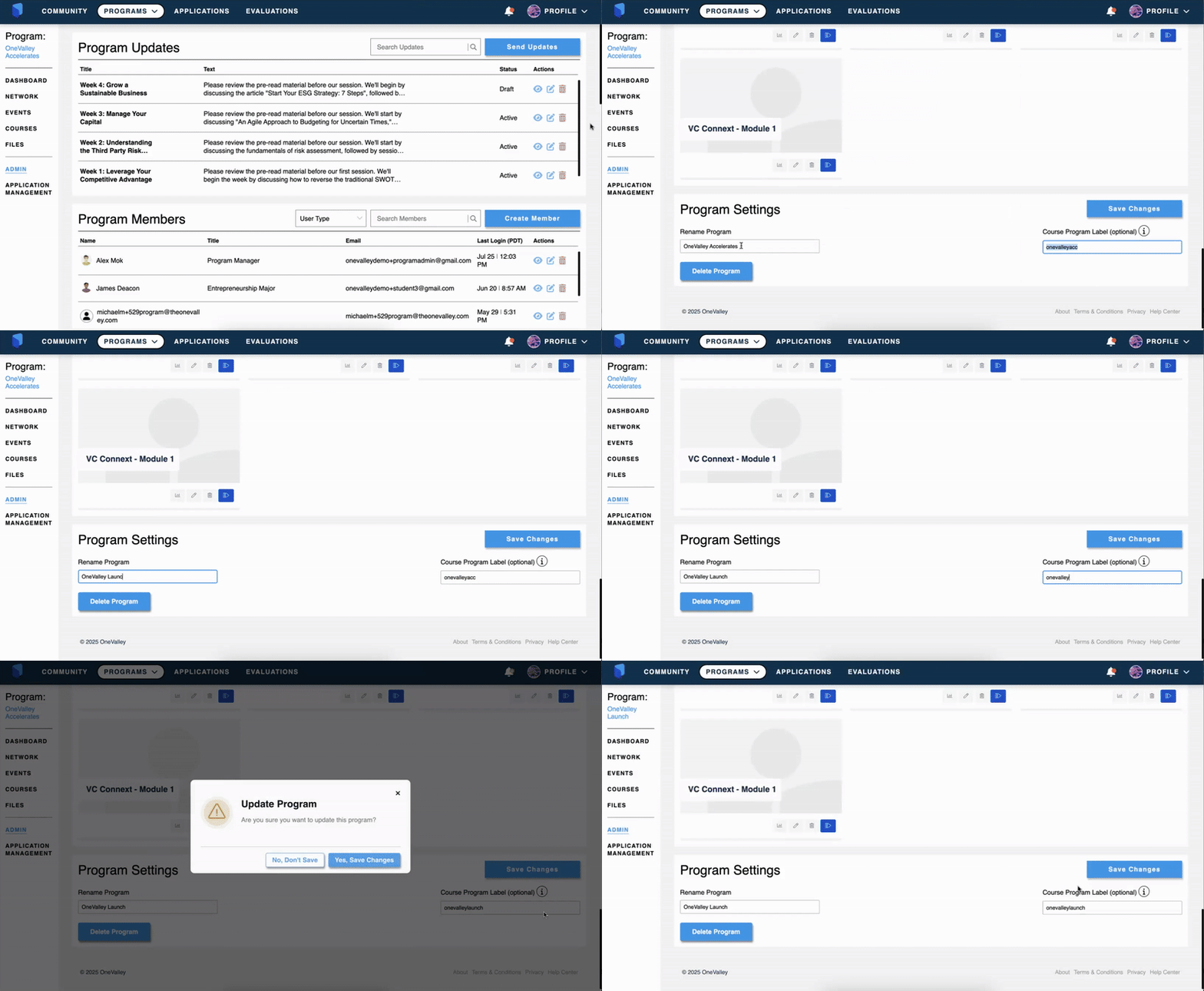
You now have more flexibility with programs:
- Rename or delete a program
- Assign specific courses to a program using course labels
- Create, rename, or delete course labels to keep things organized
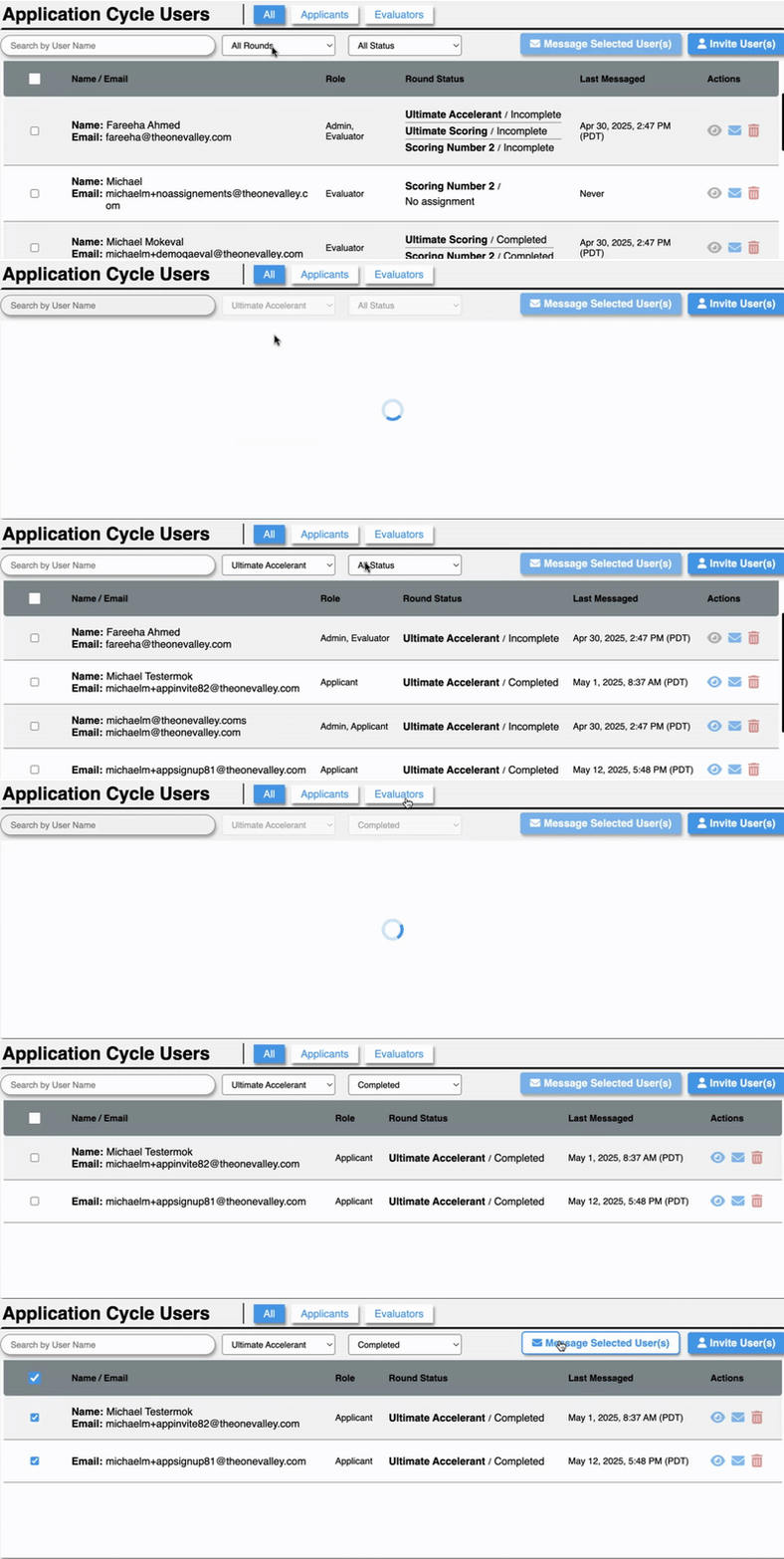
Filter by Evaluation Status
On the Application Cycle dashboard, you can now filter users based on their evaluation status. Great for keeping tabs on where everyone’s at.
Fixes & Improvements
Better Emails All Around
We’ve updated all in-platform and invitation emails to:
- Include direct login links
- Clearly state that invite links expire in 50 days
More Accurate Analytics
We’ve retroactively updated usage data in MixPanel so your analytics reflect what’s really happening.
Help Center Access Where You Need It
We’ve added a Help Center link right on the really need to Application page. Applicants can now get support without leaving the application process.
UI Tweaks That Make a Difference
- Clearer error messages if someone enters something in the wrong format
- A smoother experience for evaluators when previewing applications
- Easier for applicants to see all their current applications in one place
- Applications on the applicant dashboard now scroll in descending order (most recent round first)
- Announcements in the Evaluator Dashboard now show round names—so it’s clear which round each one is for
That’s it for now!
As always, we’re working behind the scenes to make things smoother and more powerful. Got feedback? We’d love to hear it – feedback link